
YMCA Mobile App
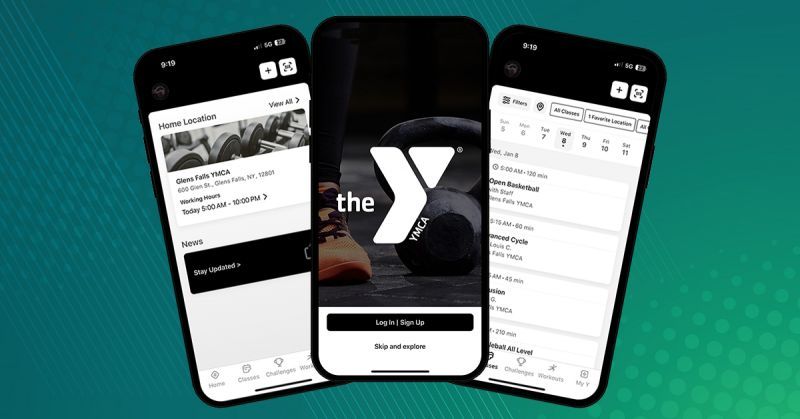
We’re excited to announce our new, more streamlined mobile fitness app experience for members! Our updated Y mobile app puts all the tools you need for a healthier lifestyle right in the palm of your hand.
HOW TO DOWNLOAD


Downloading the new Y app is easy. Simply search "Saratoga Regional YMCA" in your Android or IOS app store, create your account and get started!
FEATURES:
- Check-In: Scan in by using the barcode on your app.
- Connected Apps and Devices: Your workout data is automatically logged in the Y app.
- Fitness Challenges: View your progress on the leaderboard and win prizes.
- Goals and Workouts: Customize and track your workouts based on your specific health and wellness goals.
- Schedules: View classes and area schedules and sort by date, instructor, or activity.
- Text/Email Notifications: Opt in to receive notifications, such as schedule changes, inclement weather and facility updates (using our partner service).
HOW TO:
How to download and create an account:
- Simply search "Saratoga Regional YMCA" in your Android or IOS app store
- IOS: https://apps.apple.com/us/app/saratoga-regional-ymca/id1481464357?ls=1
- Android: https://play.google.com/store/apps/details?id=com.netpulse.mobile.saratogaregionalymca
- Once downloaded, open the app and click on “Log In/Sign Up” (blue bar on bottom of screen)
- Select “Create Account” on the bottom of the screen*
- *You must create a new account for the mobile app. This is not the same as your online member (Daxko) account/login information. These are two separate platforms and accounts.
- Select your home location (home branch)
- Enter your personal information
- First Name
- Last Name
- Password
- Password must include a symbol or number and have at least 8 characters.
- Confirm Password
- Click on “Create Account”
- Once account is created, you can get started using!
How to reset your mobile app password:
- Open the SRYMCA mobile app
- Select “Log In” on the bottom of the screen
- Click on “Forgot password?” which is in blue
- Enter the email address associated with your mobile app account and then hit “Reset Password”
- You should now have received an email with a new password
- Type in your new password (the one that was emailed to you) into the mobile app to login